
Apple explains how Face ID learns from its mistakes
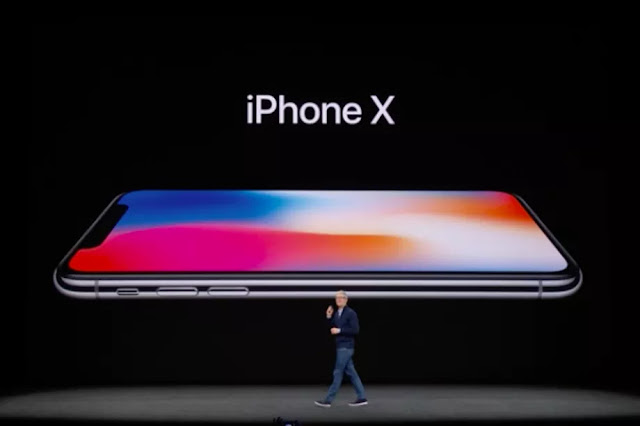
Today, Apple published a newly refreshed privacy page. With it came the most new information the company has released on Face ID since the iPhone X was announced. The details come from a new support page and a technical white paper on Face ID security, mentioned during the keynote and currently live on Apple.com. Over the course of six pages, the paper walks through the various privacy and security measures built into the new facial recognition system, including crucial details on how the new system works and how it will hold up under pressure.
The most detailed information comes from the description of how the iPhone X stores faceprints. In broad strokes, Face ID works the same way Touch ID did: the system reads your face (or fingerprint), then creates a partial version to compare against future prints. It’s a purposefully incomplete picture, so even if you could extract the data, it would be impossible to fully reconstruct a person’s face. According to the white paper, there’s also a random element to which information is retained, making it even harder to predict and spoof the system.
Even more interesting is that the initial enrollment is just the beginning of the process. Once you’ve registered your face with the system, Face ID will update its model by occasionally pulling images from successful login photos. The white paper insists those updated face images won’t leave your phone, although they may be stored there for longer than usual. That rolling enrollment explains why Face ID won’t be thrown off if a user grows a beard or buys new glasses. With new images periodically incorporated into the model, the phone’s idea of what you look like can grow incrementally, just like the face itself. Here’s how the white paper puts it:
To improve unlock performance and keep pace with the natural changes of your face and look, Face ID augments its stored mathematical representation over time. Upon successful unlock, Face ID may use the newly calculated mathematical representation — if its quality is sufficient — for a finite number of additional unlocks before that data is discarded. Conversely, if Face ID fails to recognize you, but the match quality is higher than a certain threshold and you immediately follow the failure by entering your passcode, Face ID takes another capture and augments its enrolled Face ID data with the newly calculated mathematical representation. This new Face ID data is discarded after a finite number of unlocks and if you stop matching against it. These augmentation processes allow Face ID to keep up with dramatic changes in your facial hair or makeup use, while minimizing false acceptance.
Apple is also preparing to step in when the system doesn’t work. The white paper goes into detail on a process Apple calls “Face ID Diagnostics,” which lets users reset the enrollment process and walk through it with Apple riding shotgun. If you’re setting up Face ID in diagnostics mode, you’ll be able to send enrolled pictures to Apple for examination and veto any enrolled pictures that might be throwing off the system. Apple insists that process would only take place as part of customer support, basically as one more option for an Apple employee trying to fix a misbehaving phone. Still, the measures go well beyond what’s available for Touch ID, suggesting Apple wants to be prepared for any users that end up on the wrong side of the algorithm.
After Face ID was announced, one of the biggest concerns was the chance that it could be used to unlock a person’s phone against their will. The new document details some of the protections against that kind of unlocking, but it’s not entirely reassuring. Your eyes will have to be open and pointed at the phone for Face ID to trigger the system, but the system is fast enough that instinctively looking at a presented phone might be enough to unlock it. The good news is: you can disable Face ID by pinching the side buttons to put the phone in shutdown mode. After that, it will require a passcode to unlock.
Some measures seem to acknowledge the possibility of an accidental unlock. Face ID is designed to work with Apple Pay, giving users an easy way to transfer money without typing in any passwords. But just looking at your phone won’t be enough to trigger a transaction. Apple Pay requires you to “confirm intent” by double-clicking the sleep button before holding the phone up to the payment terminal. It’s a smart protection to have, but it suggests Face ID is every bit as easy to accidentally trigger as the early demos indicated.
Then there’s the impostor problem. Phil Schiller joked about evil twins (specifically Evil Spock) at the keynote, but Apple clearly takes the problem seriously, recommending against Face ID use if you’re worried about someone with your facial features accessing your phone. The support page puts it this way:
The probability that a random person in the population could look at your iPhone X and unlock it using Face ID is approximately 1 in 1,000,000 (versus 1 in 50,000 for Touch ID).... The statistical probability is different for twins and siblings that look like you and among children under the age of 13, because their distinct facial features may not have fully developed. If you're concerned about this, we recommend using a passcode to authenticate.
In security terms, this is a pretty obscure line of attack. Even if you have a twin, it seems unlikely that an attacker could successfully enlist them in a scheme to unlock your phone. (Let’s call it a Bowfinger attack.) Still, the attack tells us something about Face ID’s limitations. Apple has built protections against printed photos and masks, but if there’s a real face with the same features as yours, it might slide through. That’s the price of a fast and seamless system.
There are still a lot of unanswered questions — most notably how well Face ID will hold up across different races. Apple says it tested the system on a diverse set of a billion different photos, but like a host of other questions, we won’t have a solid answer until the iPhone X goes on sale next month. Facial recognition is a much trickier process than fingerprint scanning, but so far, Apple seems to be treating Face ID like a smarter, faster version of Touch ID.
Source

Today, Apple published a newly refreshed privacy page. With it came the most new information the company has released on Face ID since the iPhone X was announced. The details come from a new support page and a technical white paper on Face ID security, mentioned during the keynote and currently live on Apple.com. Over the course of six pages, the paper walks through the various privacy and security measures built into the new facial recognition system, including crucial details on how the new system works and how it will hold up under pressure.
The most detailed information comes from the description of how the iPhone X stores faceprints. In broad strokes, Face ID works the same way Touch ID did: the system reads your face (or fingerprint), then creates a partial version to compare against future prints. It’s a purposefully incomplete picture, so even if you could extract the data, it would be impossible to fully reconstruct a person’s face. According to the white paper, there’s also a random element to which information is retained, making it even harder to predict and spoof the system.
Even more interesting is that the initial enrollment is just the beginning of the process. Once you’ve registered your face with the system, Face ID will update its model by occasionally pulling images from successful login photos. The white paper insists those updated face images won’t leave your phone, although they may be stored there for longer than usual. That rolling enrollment explains why Face ID won’t be thrown off if a user grows a beard or buys new glasses. With new images periodically incorporated into the model, the phone’s idea of what you look like can grow incrementally, just like the face itself. Here’s how the white paper puts it:
To improve unlock performance and keep pace with the natural changes of your face and look, Face ID augments its stored mathematical representation over time. Upon successful unlock, Face ID may use the newly calculated mathematical representation — if its quality is sufficient — for a finite number of additional unlocks before that data is discarded. Conversely, if Face ID fails to recognize you, but the match quality is higher than a certain threshold and you immediately follow the failure by entering your passcode, Face ID takes another capture and augments its enrolled Face ID data with the newly calculated mathematical representation. This new Face ID data is discarded after a finite number of unlocks and if you stop matching against it. These augmentation processes allow Face ID to keep up with dramatic changes in your facial hair or makeup use, while minimizing false acceptance.
Apple is also preparing to step in when the system doesn’t work. The white paper goes into detail on a process Apple calls “Face ID Diagnostics,” which lets users reset the enrollment process and walk through it with Apple riding shotgun. If you’re setting up Face ID in diagnostics mode, you’ll be able to send enrolled pictures to Apple for examination and veto any enrolled pictures that might be throwing off the system. Apple insists that process would only take place as part of customer support, basically as one more option for an Apple employee trying to fix a misbehaving phone. Still, the measures go well beyond what’s available for Touch ID, suggesting Apple wants to be prepared for any users that end up on the wrong side of the algorithm.
After Face ID was announced, one of the biggest concerns was the chance that it could be used to unlock a person’s phone against their will. The new document details some of the protections against that kind of unlocking, but it’s not entirely reassuring. Your eyes will have to be open and pointed at the phone for Face ID to trigger the system, but the system is fast enough that instinctively looking at a presented phone might be enough to unlock it. The good news is: you can disable Face ID by pinching the side buttons to put the phone in shutdown mode. After that, it will require a passcode to unlock.
Some measures seem to acknowledge the possibility of an accidental unlock. Face ID is designed to work with Apple Pay, giving users an easy way to transfer money without typing in any passwords. But just looking at your phone won’t be enough to trigger a transaction. Apple Pay requires you to “confirm intent” by double-clicking the sleep button before holding the phone up to the payment terminal. It’s a smart protection to have, but it suggests Face ID is every bit as easy to accidentally trigger as the early demos indicated.
Then there’s the impostor problem. Phil Schiller joked about evil twins (specifically Evil Spock) at the keynote, but Apple clearly takes the problem seriously, recommending against Face ID use if you’re worried about someone with your facial features accessing your phone. The support page puts it this way:
The probability that a random person in the population could look at your iPhone X and unlock it using Face ID is approximately 1 in 1,000,000 (versus 1 in 50,000 for Touch ID).... The statistical probability is different for twins and siblings that look like you and among children under the age of 13, because their distinct facial features may not have fully developed. If you're concerned about this, we recommend using a passcode to authenticate.
In security terms, this is a pretty obscure line of attack. Even if you have a twin, it seems unlikely that an attacker could successfully enlist them in a scheme to unlock your phone. (Let’s call it a Bowfinger attack.) Still, the attack tells us something about Face ID’s limitations. Apple has built protections against printed photos and masks, but if there’s a real face with the same features as yours, it might slide through. That’s the price of a fast and seamless system.
There are still a lot of unanswered questions — most notably how well Face ID will hold up across different races. Apple says it tested the system on a diverse set of a billion different photos, but like a host of other questions, we won’t have a solid answer until the iPhone X goes on sale next month. Facial recognition is a much trickier process than fingerprint scanning, but so far, Apple seems to be treating Face ID like a smarter, faster version of Touch ID.
Source


